
UPS Systems
Why Is My UPS Beeping? What Each Alarm Pattern Actually Means
· 12 min read · Energy Links Ghana
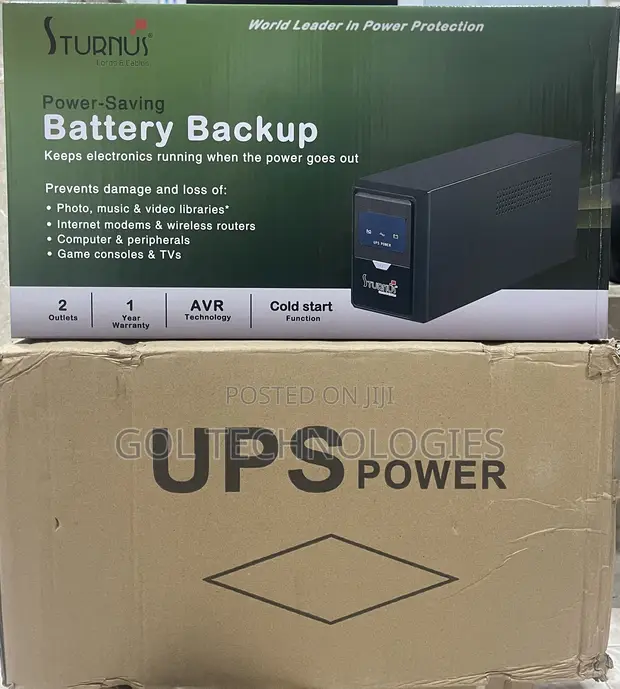
Your UPS is beeping, but what is it trying to tell you?
A beeping UPS is not necessarily faulty. The sound is usually a warning that something has changed in its operating condition. It could mean the unit has switched to battery power, the connected equipment is drawing too much electricity, or the battery is no longer performing as expected.
Understanding why your UPS is beeping can help you identify potential problems before they interrupt your work or damage connected equipment.
For homes, offices and businesses in Ghana, where electricity interruptions and voltage fluctuations can affect daily operations, understanding these warning signals is particularly important.
The key is to pay attention to the beeping pattern, the indicator lights and the information displayed on your UPS. Different manufacturers use different alarm systems, so always consult the manual for your specific model.
Understanding What Different UPS Beeping Patterns Mean
Most modern UPS systems use audible alarms and indicator lights to communicate their operating conditions.
For example, Schneider Electric's APC Smart-UPS documentation identifies several common alarm conditions, including battery operation, overload, battery self-test failure and low battery warnings.
Here are five patterns worth understanding.
1. Four Beeps Every 30 Seconds: Your UPS Is Running on Battery
If your UPS produces four short beeps approximately every 30 seconds, it may have switched from mains electricity to battery power.
This usually happens when:
- There is a power outage.
- The incoming voltage falls outside the acceptable operating range.
- The UPS detects an electricity supply condition it cannot safely accept.
On supported APC Smart-UPS models, the amber On-Battery indicator also illuminates.
This alarm is not necessarily a sign of a faulty UPS. It is informing you that the unit is supplying electricity from its internal battery.
What should you do?
Save your work and shut down connected computers and other equipment properly. Avoid waiting until the battery is completely discharged.
If the UPS repeatedly switches to battery even when electricity is available, the incoming supply may be unstable or outside the unit's acceptable voltage range.
Frequent switching can also increase battery usage and affect its service life.
2. A Continuous Loud Beeping Sound: Possible UPS Overload
A continuous, solid alarm tone can indicate that your UPS is overloaded.
An overload occurs when the total electrical demand from connected equipment exceeds the UPS's rated capacity.
Common examples of equipment that may place excessive demand on a UPS include:
- Laser printers.
- Electric kettles.
- Refrigerators.
- Water pumps.
- Other appliances with motors or heating elements.
A UPS designed to support computers, monitors and networking equipment should not automatically be assumed suitable for heavy household appliances.
On APC Smart-UPS models, an overload warning is accompanied by a red Overload indicator.
What should you do?
Reduce the connected load if it is safe to do so. Switch off and disconnect unnecessary equipment using its normal controls and plugs.
Check the UPS manufacturer's rated capacity and compare it with the total demand of the connected equipment.
If the continuous alarm remains after the load has been reduced, stop using the unit and arrange a professional inspection. An internal fault may be responsible.
Do not open the UPS to investigate the problem yourself.
3. Continuous Beeping for One Minute Every Five Hours: Battery Warning
This is an important alarm that should not be ignored.
On certain APC Smart-UPS models, continuous beeping for approximately one minute every five hours indicates that the battery has failed its automatic self-test.
The Replace Battery indicator may also illuminate.
A failed battery self-test means the UPS has detected that its battery is not performing as expected.
The unit may continue supplying electricity while mains power is available, but its ability to provide backup power during an outage may be compromised.
This is particularly concerning for businesses that depend on uninterrupted electricity for computers, servers, networking equipment and other essential operations.
What should you do?
Arrange for the UPS battery to be inspected and tested by a qualified technician.
If the battery has reached the end of its service life, it may need replacement with a compatible battery.
Do not assume that the UPS is healthy simply because it continues working when connected to mains electricity.
For more information, read our guide on how long a UPS battery lasts in Ghana.
4. Continuous Beeping While Running on Battery: Low Battery Warning
If your UPS begins beeping continuously while already operating on battery power, it may be warning that the battery is nearly discharged.
This means the remaining backup time is limited.
On supported APC Smart-UPS models, the continuous low-battery alarm is accompanied by an illuminated On-Battery indicator and a flashing battery-charge indicator.
The exact warning period and remaining runtime depend on the model, battery condition and connected load.
What should you do?
Save your work immediately and shut down connected computers and equipment properly.
Do not assume that the UPS will continue supplying electricity for several more minutes.
If the UPS repeatedly reaches a low-battery condition during normal operation, have the battery and connected load checked.
5. A Repeated Chirp With a Flashing Replace-Battery Light: Possible Battery Connection Problem
Some APC Smart-UPS models use a short chirp at regular intervals to indicate that the internal battery is disconnected.
This is different from a battery that has simply reached the end of its service life.
The distinction matters because the appropriate solution depends on the actual condition detected by the UPS.
A battery connection issue may occur after equipment has been moved or serviced.
What should you do?
Check the UPS display and manufacturer's manual to confirm the warning.
Have a qualified technician inspect the battery connection and condition. Avoid opening the unit or handling internal battery connections.
If the battery is damaged or no longer performing properly, professional replacement may be necessary.
Important: Not every UPS uses this alarm pattern. Always confirm the meaning against the manufacturer's documentation.
Is Your UPS Clicking Instead of Beeping?
Not every unusual sound from a UPS indicates a problem.
Some UPS systems produce a clicking sound when their Automatic Voltage Regulation (AVR) function is operating.
AVR helps correct incoming voltage that is too high or too low, within the operating limits of the particular UPS.
When the system switches between voltage regulation modes, an internal relay may produce an audible click.
For example:
- AVR Boost increases low incoming voltage.
- AVR Trim reduces incoming voltage that is too high.
Schneider Electric identifies these relay sounds as normal operation on supported APC Smart-UPS models.
However, frequent clicking may indicate that the UPS is repeatedly responding to unstable incoming electricity.
If the clicking is unusually loud, accompanied by warning lights or followed by unexpected shutdowns, arrange for a professional inspection.
Why UPS Alarms and Battery Problems Matter in Ghana
Electricity supply conditions can have a significant effect on the performance of UPS systems.
In Ghana, voltage fluctuations, power interruptions and high operating temperatures are important considerations when selecting and maintaining backup power equipment.
Research published by the Kleinman Center for Energy Policy at the University of Pennsylvania provides useful insight into voltage quality in Accra.
The research examined electricity reliability and voltage measurements collected through GridWatch monitoring devices across Accra.
Among its findings, the study reported that:
- Ghana's nominal electricity voltage is 230V.
- Average customer voltage between March 2019 and November 2020 was approximately 219V.
- Voltage quality was particularly poor during peak demand periods.
- Some households and businesses experienced prolonged periods of voltage below the nominal level.
These findings demonstrate why voltage quality deserves attention when selecting power protection equipment.
Read the research here: Improving Voltage Quality Through Transformer Construction in Accra, Ghana – Kleinman Center for Energy Policy.
Three factors are particularly important when considering UPS performance in Ghana.
1. High Operating Temperatures
Temperature affects the performance and service life of UPS batteries.
Many UPS systems use sealed lead-acid batteries, which are sensitive to excessive heat.
Placing a UPS in a poorly ventilated cupboard, enclosed space or area exposed to direct sunlight can increase its operating temperature.
Over time, excessive heat may accelerate battery ageing and reduce its ability to provide backup power.
Keep your UPS in a clean, dry and well-ventilated location, following the manufacturer's recommended operating conditions.
2. Frequent Power Interruptions
Every time a UPS operates on battery power, its battery discharges.
Repeated discharge and recharge cycles contribute to battery ageing.
A UPS that regularly supports equipment during power interruptions may experience more battery wear than one operating under more stable electricity conditions.
This is why regular battery testing and preventive maintenance are important.
3. Voltage Fluctuations
A UPS with Automatic Voltage Regulation may compensate for incoming voltage variations without immediately switching to battery power.
However, the ability to regulate voltage depends on the UPS design and its specified input voltage range.
If incoming voltage regularly falls outside that range, the UPS may switch to battery more frequently.
In situations involving persistent voltage fluctuations, an appropriately selected voltage stabilizer or other suitable power protection solution may also be worth considering.
Read our guides on why you need a voltage stabilizer in Ghana and what normal voltage in Ghana actually is.
What to Do When Your UPS Starts Beeping
When your UPS starts making an unusual sound, avoid immediately switching off the alarm without understanding the reason.
Follow these basic steps:
- Pay attention to the alarm pattern. Observe whether the UPS produces short repeated beeps, a continuous tone or occasional warning sounds.
- Check the indicator lights. Look for On-Battery, Overload, Replace Battery or other warning indicators.
- Check the electricity supply. Determine whether the UPS has switched to battery power even though electricity appears to be available.
- Review the connected equipment. Consider whether the total electrical demand exceeds the UPS's rated capacity.
- Save your work and shut down equipment when necessary. This is especially important when the UPS indicates a low battery.
- Consult the manufacturer's manual. Alarm patterns and warning indicators vary between models.
- Arrange professional servicing if the warning persists. Repeated alarms, unusual noises or unexplained shutdowns should not be ignored.
Never open the UPS casing or attempt to repair its internal electrical components or battery connections without appropriate technical qualifications.
Common UPS Beeping Problems You Should Not Ignore
There are several misconceptions about UPS alarms that can lead to unnecessary expenses or equipment problems.
A Beeping UPS Does Not Always Need a New Battery
Battery failure is only one possible reason for a UPS alarm.
Overload conditions, incoming voltage problems and internal faults can also trigger warnings.
Replacing the battery without identifying the actual problem may not resolve the alarm.
A Bigger UPS Is Not Always the Solution
If your UPS is beeping because its battery has failed, purchasing a higher-capacity UPS may not address the underlying issue.
If the problem is overload, the connected equipment and total electrical demand must be assessed before selecting a replacement.
The right UPS should match the equipment it is expected to support.
Muting the Alarm Does Not Fix the Problem
Some UPS models allow users to silence certain audible warnings.
However, silencing an alarm does not necessarily resolve the condition that triggered it.
Always investigate the warning before deciding whether to mute it.
A Silent UPS Is Not Automatically a Healthy UPS
The absence of an audible warning does not guarantee that the battery is in good condition.
A UPS may have a disabled sound setting or an alarm that is not functioning properly.
Regular inspection and battery testing are important, particularly for equipment supporting essential business operations.
When Should You Consider Replacing Your UPS?
Sometimes, repeated alarms indicate that the UPS is no longer suitable for the equipment or operating conditions.
Consider a professional assessment when:
- The battery repeatedly fails self-tests.
- The UPS shuts down unexpectedly.
- The unit frequently switches to battery despite mains electricity being available.
- Overload warnings continue with an appropriately reduced load.
- The unit produces unusual sounds or displays persistent fault indicators.
- The UPS can no longer provide the required backup runtime.
Before purchasing a replacement, consider the total power demand, required backup duration, operating environment and type of equipment being protected.
There are different UPS technologies available, and each serves different power protection requirements.
Our comparison of online and line-interactive UPS systems explains their differences.
You can also read how to choose a UPS in Ghana before selecting a replacement.
Frequently Asked Questions About UPS Beeping
Why is my UPS beeping even when there is electricity?
Your UPS may be detecting incoming voltage outside its acceptable operating range, an overloaded condition or a battery problem.
Check the indicator lights and consult the manufacturer's manual to identify the warning.
Is it normal for a UPS to beep during a power outage?
Yes. Many UPS systems produce audible warnings when they switch to battery power.
The alarm informs you that the connected equipment is receiving backup electricity and that the remaining battery runtime is limited.
Why does my UPS beep continuously?
Continuous beeping can indicate different conditions depending on the manufacturer and model.
It may signal a low battery, an overload or a system fault. Check the display and indicator lights rather than assuming that the battery is the problem.
How do I stop my UPS from beeping?
First, identify why the alarm is sounding.
If the UPS is running on battery, save your work and shut down connected equipment properly. If it is overloaded, reduce the connected load. If the battery warning or system fault persists, arrange professional servicing.
Simply muting the alarm does not solve the underlying problem.
How do I know if my UPS battery needs replacement?
Common warning signs include failed battery self-tests, reduced backup runtime, repeated replace-battery warnings and unexpected shutdowns.
A professional battery test can help establish whether replacement is necessary.
Can voltage fluctuations damage my UPS?
Frequent voltage fluctuations can increase the workload of certain UPS systems and may contribute to additional battery usage and component stress.
Choosing equipment with appropriate voltage regulation capabilities and ensuring proper installation can help improve power protection.
Get Professional UPS Support from Energy Links Ghana
A beeping UPS is sending you a warning. Understanding that warning is the first step towards protecting your equipment and maintaining reliable power backup.
Whether you are experiencing frequent battery alarms, overload warnings, reduced backup time or unexplained UPS shutdowns, identifying the actual cause is important before spending money on repairs or replacement equipment.
Energy Links Ghana supplies, installs and services UPS systems and power protection equipment for homes, offices and businesses across Ghana.
Our product range includes EAST, Inform and Siel UPS systems, as well as Ortea voltage stabilizers.
We understand that reliable backup power is essential for businesses, hospitals, financial institutions, hotels and other organisations that depend on continuous electricity.
If your UPS is beeping repeatedly or no longer provides the backup performance you need, speak with our team for professional assistance.
Contact Energy Links Ghana for support, or explore our available products to find a suitable power protection solution.
Energy Links Ghana – Reliable Power Protection for Homes and Businesses.
Need help choosing the right equipment?
Our engineers will size it against your actual load, not a guess.
Talk to us